The online compass that always points true north — no app downloads, no subscriptions. Just open and navigate. 100% free.
Whether you’re planning a hiking trip, studying navigation, or simply curious about which direction you’re facing, an online compass is one of the most accessible and practical tools available today. Unlike traditional magnetic compasses that require physical hardware, an online compass runs directly in your web browser or mobile app, leveraging your device’s built-in sensors to give you accurate directional readings — no extra equipment needed.
This comprehensive guide will walk you through everything you need to know about online compasses: what they are, how they work, how to read them accurately, how to use them for real-world navigation, and tips for getting the best results from them.
What Is an Online Compass?
An online compass is a digital tool — accessible through a website or mobile application — that replicates the functionality of a traditional magnetic compass. It displays the cardinal and intercardinal directions (North, South, East, West, and the points in between) and shows you a real-time heading based on your device’s orientation.
Online compasses are powered by the magnetometer sensor embedded in most modern smartphones and tablets. When you access a compass website on a desktop computer without a built-in magnetometer, the tool may use your IP address or GPS coordinates to estimate your general location and orientation, though this method is far less precise.
There are several reasons why online compasses have become so popular:
They are free to use and require no downloads in most cases. They are instantly accessible from any device with a browser. They are updated in real time. They often include additional features like GPS coordinates, altitude data, sun position, and map integration. They are useful in a pinch when a physical compass is unavailable.
How Does an Online Compass Work?
To fully appreciate how to use an online compass, it helps to understand what’s happening behind the scenes.
The Magnetometer
Most smartphones and tablets contain a tiny chip called a magnetometer, which detects the Earth’s magnetic field. This sensor measures the strength and direction of magnetic fields across three axes (X, Y, and Z), allowing the device to determine its orientation relative to magnetic north. The data from this sensor is then processed by the browser or app and displayed as a compass bearing on your screen.
GPS and Geolocation
Many online compass tools also use GPS (Global Positioning System) or your browser’s geolocation API alongside the magnetometer. GPS provides your precise latitude and longitude coordinates, which the compass tool can use to show your location on a map and calculate true north (as opposed to magnetic north, which varies by location).
True North vs. Magnetic North
This distinction is important for navigation. Magnetic north — the direction a compass needle points — is not the same as true north, which is the direction toward the geographic North Pole. The difference between them is called magnetic declination, and it varies depending on where you are on Earth. Some online compasses automatically correct for magnetic declination based on your GPS coordinates, giving you a more accurate reading for practical navigation.
Gyroscope and Accelerometer
In addition to the magnetometer, many devices have a gyroscope and accelerometer that help stabilize compass readings. These sensors detect rotational movement and tilt, allowing the online compass to compensate for the angle at which you’re holding your device and provide a more consistent reading.
Accessing an Online Compass
There are many online compass tools available, and accessing them is straightforward. Here’s how to get started:
On a Smartphone or Tablet
Open your preferred web browser (Chrome, Safari, Firefox, etc.) and search for “online compass” or navigate to a dedicated compass website. When the site loads, it will likely ask for permission to access your device’s location and sensors. Grant this permission for the compass to function accurately. The compass dial or needle will appear on your screen, pointing toward north.
Some popular online compass websites include compass.to, online-compass.net, and various other free tools that appear in search results. Many of these sites also offer downloadable apps for iOS and Android.
On a Desktop or Laptop Computer
Most desktop and laptop computers do not have a built-in magnetometer, so an online compass on these devices relies entirely on GPS or geolocation data from your IP address. This method is far less accurate for determining your orientation — it can tell you where you are on a map, but it cannot tell you which direction you’re facing. For accurate directional readings, a smartphone or tablet with a functioning magnetometer is strongly recommended.
Browser Permissions
When you first open an online compass, your browser will ask whether to allow the site to access your location. You must click “Allow” for the compass to use your GPS coordinates. Without this permission, the compass may still display a dial but won’t be able to orient it accurately or show your position on a map.
Reading an Online Compass
Once your compass is up and running, you need to understand what you’re looking at.
The Compass Rose
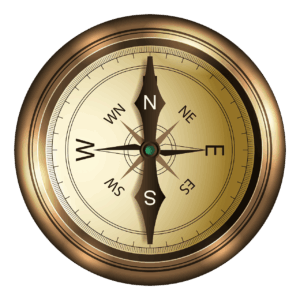
The centerpiece of any compass — digital or traditional — is the compass rose, a circular diagram divided into directions. The four cardinal points are North (N), South (S), East (E), and West (W). Between these are the intercardinal points: Northeast (NE), Southeast (SE), Southwest (SW), and Northwest (NW). Many compasses also show secondary intercardinal points like North-Northeast (NNE) or East-Southeast (ESE), dividing the circle into 16 segments.
On an online compass, the compass rose may rotate on your screen as you move, always keeping North at the top in map view, or the needle may rotate while the rose stays fixed — it depends on the design of the particular tool.
Compass Bearings
Every direction on a compass corresponds to a degree measurement from 0° to 360°. North is 0° (or 360°), East is 90°, South is 180°, and West is 270°. Your current heading — the direction you’re facing or traveling — is displayed as one of these degree values, sometimes called a bearing or azimuth. Reading this number is essential for precise navigation.
For example, if your compass shows a bearing of 045°, you are heading Northeast. A bearing of 270° means you are heading due West.
The Needle or Indicator
Most online compasses display a needle or arrow that points toward north. Some designs show a red end pointing north and a white or blue end pointing south, mirroring the appearance of traditional compasses. Others display a simple directional indicator or a rotating compass rose. Regardless of the visual style, the core information is the same: the compass tells you which direction is north, from which you can determine all other directions.
Latitude and Longitude Display
Many online compasses display your current GPS coordinates — latitude and longitude — alongside the directional readout. Latitude tells you how far north or south of the equator you are, while longitude tells you how far east or west of the prime meridian (which runs through Greenwich, England) you are. These coordinates are vital for serious navigation, allowing you to pinpoint your exact location on any map.
Calibrating Your Online Compass
One of the most common issues with digital compasses — whether in a phone app or a browser-based tool — is inaccuracy caused by poor calibration. If your compass seems to be pointing in the wrong direction, calibration is usually the fix.
Why Calibration Is Necessary
The magnetometer in your device can be thrown off by nearby metal objects, electronic devices, magnetic cases, or even the Earth’s own localized magnetic anomalies. Calibration helps the sensor “reset” and get an accurate baseline reading.
How to Calibrate
The most widely used calibration technique is the figure-eight motion. Hold your smartphone flat in your hand and move it in a smooth figure-eight or infinity-symbol pattern several times. This exposes the sensor to magnetic fields from different angles and allows it to recalibrate. After a few repetitions, open your online compass again and check whether the reading has improved.
Another calibration method involves rotating your device 360° along each of its three axes — flat, upright, and on its side — which achieves a similar result.
Some online compass tools have a built-in calibration prompt or guide that walks you through this process automatically.
Avoiding Interference
For the most accurate readings, keep your device away from:
Metal tables, desks, or surfaces. Laptop computers and other electronics. Magnets, including magnetic phone cases and wallet attachments. Speakers and headphones. Metal jewelry or accessories worn close to the device.
Step away from large metal structures like cars or buildings when taking a reading, and keep your phone at waist or chest height away from your body for best results.
How to Use an Online Compass for Navigation
Now that you know how to read your compass, let’s talk about how to actually use it for navigating from one place to another.
Setting a Bearing
Suppose you want to hike to a destination that lies to the Northeast. Using your online compass, you’d identify the 045° bearing (Northeast) and maintain that heading as you walk. Periodically glance at your compass to make sure you haven’t drifted off course. This technique — called “following a bearing” — is the foundation of compass-based land navigation.
Taking a Bearing on a Landmark
If you can see a distinctive landmark — a mountain peak, a tower, or a road intersection — you can use your compass to take a bearing on it. Stand still, point your device or body toward the landmark, and read the degree value displayed on your compass. This is the bearing to that landmark. If you have a map, you can draw a line from your position in that direction to identify or confirm where the landmark is.
Triangulation
Triangulation is a more advanced technique that allows you to determine your exact location using bearings to two or more known landmarks. Take a bearing to the first landmark and draw that line on your map. Then take a bearing to a second landmark and draw that line. Where the two lines cross is approximately your current position. Many online compass tools integrate with maps, making this process much easier to visualize.
Using the Map Feature
Most advanced online compass tools include an integrated map view, typically powered by Google Maps or OpenStreetMap. This map shows your current GPS location and can display your heading as a directional arrow overlaid on the map. This combination of compass and map is extremely powerful for outdoor navigation, urban exploration, and travel.
You can use the map to plan a route, identify your destination’s direction from your current position, and track your movement in real time.
Waypoints and Directions
Some online compass tools allow you to enter a destination address or coordinates, and the tool will calculate the bearing from your current location to your destination. This is particularly useful when you’re in an unfamiliar area and need to head in a specific direction without following roads.
Special Features of Online Compasses
Beyond basic directional readings, many online compass tools offer a suite of additional features that can be incredibly useful.
Sun and Moon Position
Some compasses display the current position of the sun and moon relative to your location and the time of day. This information is useful for planning photography shoots (knowing where the golden hour light will fall), for outdoor activities, or simply for understanding the natural environment around you.
Altitude
Using your device’s barometric pressure sensor or GPS elevation data, many online compasses display your current altitude above sea level. This is helpful for hiking, climbing, and aviation-related activities.
Speed
If you’re moving, some tools display your current speed based on GPS data. This can be useful while hiking, cycling, or driving to monitor your pace.
Magnetic Declination Correction
As mentioned earlier, the difference between magnetic north and true north is called declination. High-quality online compass tools will automatically fetch the declination value for your current location and correct your readings accordingly. This ensures that the “north” shown on your compass aligns with true geographic north rather than the Earth’s magnetic pole.
Night Mode
For use in low-light conditions, many online compasses offer a night mode with a dark background and dimmed or red-tinted display, which preserves your night vision when you’re outdoors after dark.
Common Mistakes to Avoid
Even with a reliable tool, there are several pitfalls that can lead to poor results when using an online compass.
Holding the Device at an Angle
Magnetometers are sensitive to tilt. If you hold your phone at a steep angle, the compass may give inaccurate readings. Hold your device as flat and level as possible — parallel to the ground — when taking readings.
Ignoring Calibration
Skipping calibration is the number one reason for inaccurate compass readings. Always calibrate before use, especially if you’ve recently been near strong magnetic fields (like a car or MRI machine) or if you’ve changed your phone case.
Confusing Magnetic North with True North
If your compass tool does not automatically correct for magnetic declination, the readings it provides are relative to magnetic north, not true north. Depending on where you live, this difference can be significant — up to 20° or more in some regions of the world. Always check whether your tool accounts for declination, and adjust your navigation accordingly.
Trusting the Compass Alone in Unfamiliar Terrain
A compass tells you direction, but it cannot tell you about obstacles in your path. Always combine your compass readings with a map, your own observations of the terrain, and common sense. In outdoor navigation, a compass is a tool to be used alongside other resources — never in isolation.
Using a Damaged or Low-Battery Device
A phone with a dying battery or a cracked sensor may give unreliable compass readings. Make sure your device is in good working order and has sufficient battery life before relying on it for navigation.
Online Compass vs. Traditional Compass
Many outdoor enthusiasts debate whether an online compass on a smartphone can truly replace a traditional analog compass. Each has its strengths and weaknesses.
Advantages of Online Compasses
They are always with you on your phone. They integrate with GPS, maps, and other data. They display precise numerical bearings. They can auto-correct for magnetic declination. They are free or very low cost.
Advantages of Traditional Compasses
They work without battery or internet. They are not affected by software bugs or sensor drift. They are rugged and water-resistant. They don’t require calibration in the same way. They function in areas with no GPS signal.
For casual use, everyday navigation, travel, and urban environments, an online compass is perfectly adequate. For serious wilderness navigation, mountaineering, or emergency situations, a physical compass is strongly recommended as a backup — and in some cases, as the primary tool. Many experienced hikers and outdoor professionals carry both.
Tips for Getting the Best Results
Here is a collection of practical tips to help you get the most out of your online compass:
Always grant location and sensor permissions when prompted. Calibrate using the figure-eight motion before taking critical readings. Keep your device flat and level when reading directions. Move away from large metal objects and electronics. Check whether your tool corrects for magnetic declination. Use the map view when available for a clearer picture of your surroundings. Cross-reference your compass reading with the sun’s position when possible — the sun rises in the east and sets in the west, giving you a natural double-check. Save the compass website as a browser bookmark on your phone for quick access. Test your compass in a known environment first, like your neighborhood, before relying on it in an unfamiliar location.
Practical Use Cases for an Online Compass
Online compasses are not just for hikers. Here are some everyday and specialized scenarios where they come in handy:
Travel and Sightseeing
When exploring a new city on foot, an online compass helps you orient yourself quickly, especially when maps show you north but you’re not sure which direction that actually is from where you’re standing.
Interior Design and Feng Shui
Feng shui practitioners use compass readings to align furniture and rooms according to directional principles. An online compass can quickly tell you which walls face which direction in your home.
Amateur Radio and Satellite Tracking
Radio operators and satellite enthusiasts use precise directional data to aim antennas at specific satellites or other stations. An online compass provides a quick reference for antenna alignment.
Photography and Filmmaking
Photographers planning sunrise or sunset shots use compass apps to identify exactly where the sun will rise or set relative to their chosen location, allowing them to plan the perfect angle for their shot.
Real Estate and Architecture
Homebuyers and architects often want to know the orientation of a property or building — which direction the windows face, where morning or afternoon light will enter. An online compass answers these questions instantly.
Boating and Kayaking
While serious marine navigation requires dedicated equipment, casual kayakers and small boat operators can use an online compass on a waterproof case for basic directional guidance on calm waters.
Geocaching
The popular outdoor treasure-hunting hobby of geocaching often requires navigating to specific GPS coordinates. Online compass tools with GPS integration make finding caches much easier.
An online compass is a remarkably powerful and convenient tool that puts the ability to navigate — once the exclusive domain of sailors, explorers, and trained scouts — into the hands of anyone with a smartphone. By understanding how it works, learning to read it correctly, calibrating it properly, and combining it with good judgment and a map, you can use an online compass to orient yourself anywhere in the world.
Whether you’re navigating a trail in the mountains, exploring a new city, planning a photo shoot at sunset, or simply satisfying a moment of curiosity about which way is north, an online compass has you covered. The next time you open one, you’ll know exactly what you’re looking at — and exactly where you’re going.